Shutdown and Delete
Info
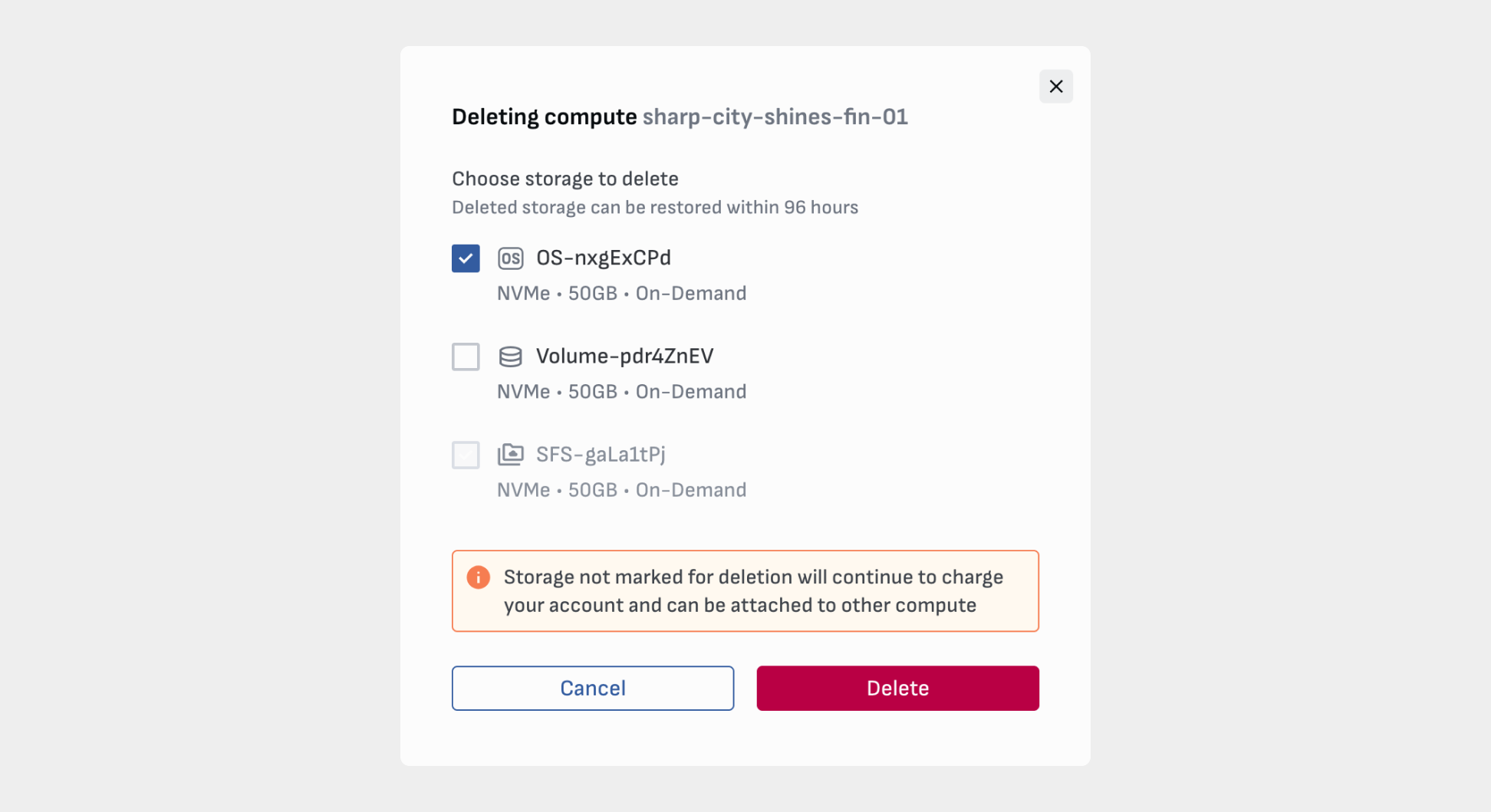
UPDATE: We have removed Hibernate because it was the same as Delete while keeping all storage. You can select storage items when deleting an instance, providing more flexibility and accuracy.
What is the difference between shutting down and deleting GPU instances?
Shutdown
Shutting down an instance temporarily pauses it so technical processes can occur, such as attaching or detaching volumes.
Warning
Shutdown instances continue to charge your account.
You can shutdown instances from two locations: the actions menu on the Instance card and on the overview page (image below). This is useful when you are editing, attaching, or detaching storage.
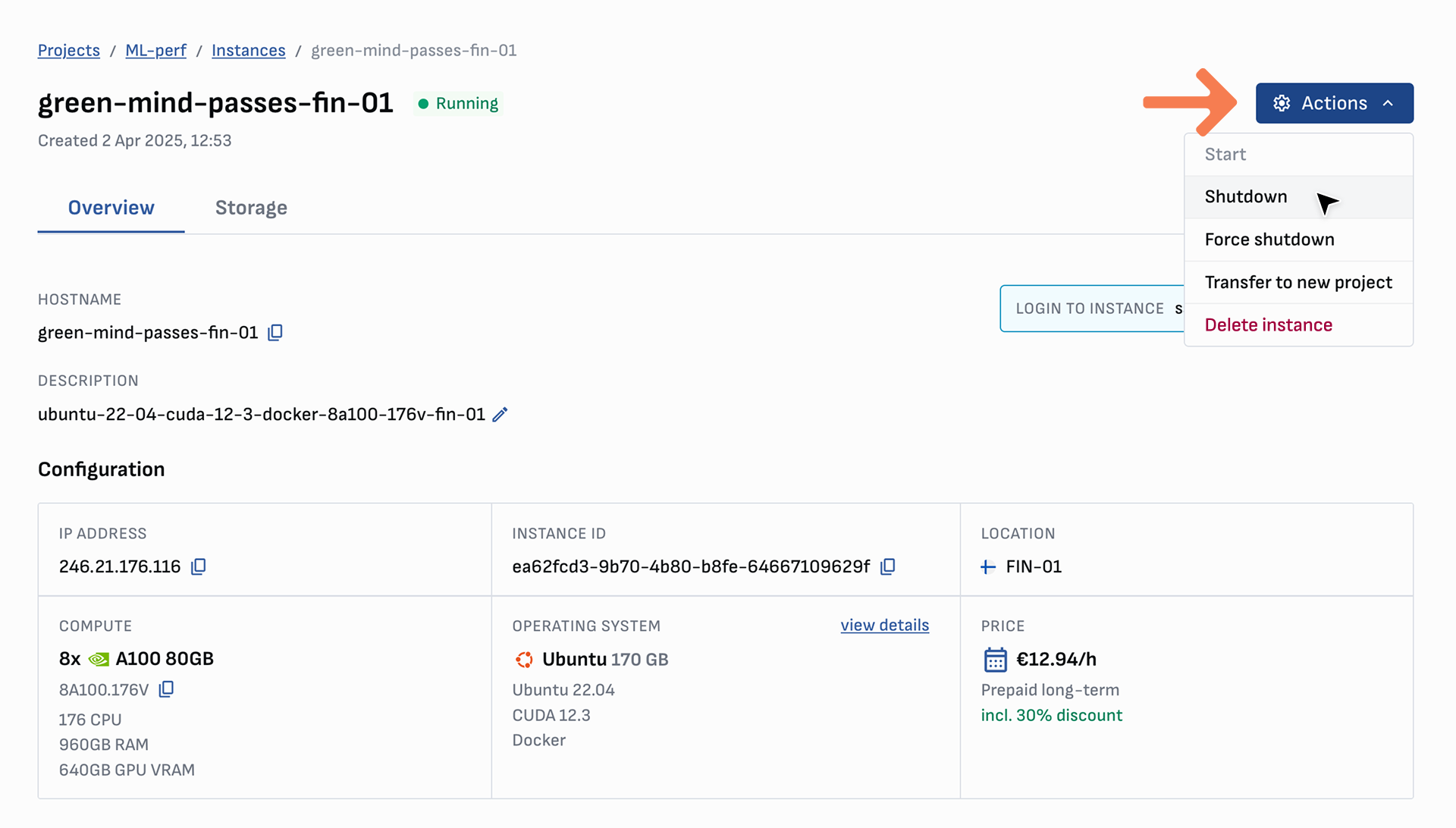
Force shutdown
Use Force shutdown if regular shutdown is not responsive. All running processes will be stopped with possible data loss or corruption.
Delete
Deleting an instance removes the instance and attached volumes of your choosing. You can find the Delete instance option in the same action menus listed above.
By default, no storage is selected for deletion. All storage not marked for deletion will continue to charge you account. Detached storage can be attached to new instances.