Quickstart
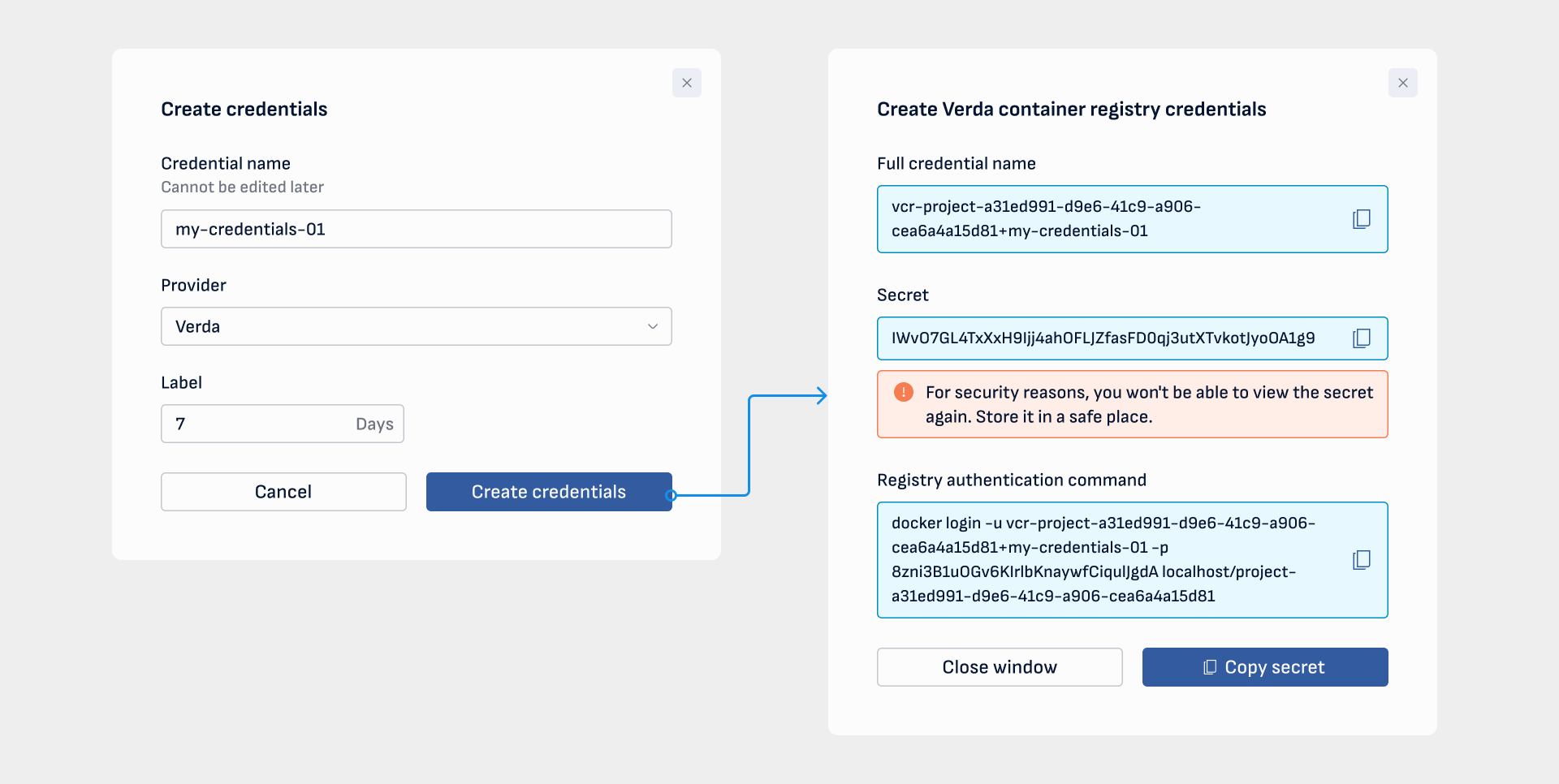
Create registry credentials from the Container Registry or Keys page:
Info
The credentials name will be prefixed with: vcr-<PROJECT_ID>+
Example: credentials-name and project id f64a8306-af4e-423c-b4bc-be5b3b4ec560 it would be vcr-f64a8306-af4e-423c-b4bc-be5b3b4ec560+credentials-name
In your local environment:
Use the credentials name and secret to log into the registry. Prefer --password-stdin to avoid leaking the secret in shell history.
echo '<SECRET>' | docker login vccr.io/<PROJECT_ID> -u 'vcr-<PROJECT_ID>+credentials-name' --password-stdin
Then tag an image and push it to the registry:
docker tag <SOURCE_IMAGE>[:TAG] vccr.io/<PROJECT_ID>/<IMAGE-NAME>[:TAG]
docker push vccr.io/<PROJECT_ID>/<IMAGE-NAME>[:TAG]
echo 'NOdNc9Vm8skBEx7N5eXJzHdWuHjJOYHC' | docker login vccr.io/f64a8306-af4e-423c-b4bc-be5b3b4ec560 -u 'vcr-f64a8306-af4e-423c-b4bc-be5b3b4ec560+credentials-name' --password-stdin
docker tag hello-world:v1.0.0 vccr.io/f64a8306-af4e-423c-b4bc-be5b3b4ec560/hello-world:v1.0.0
docker push vccr.io/f64a8306-af4e-423c-b4bc-be5b3b4ec560/hello-world:v1.0.0
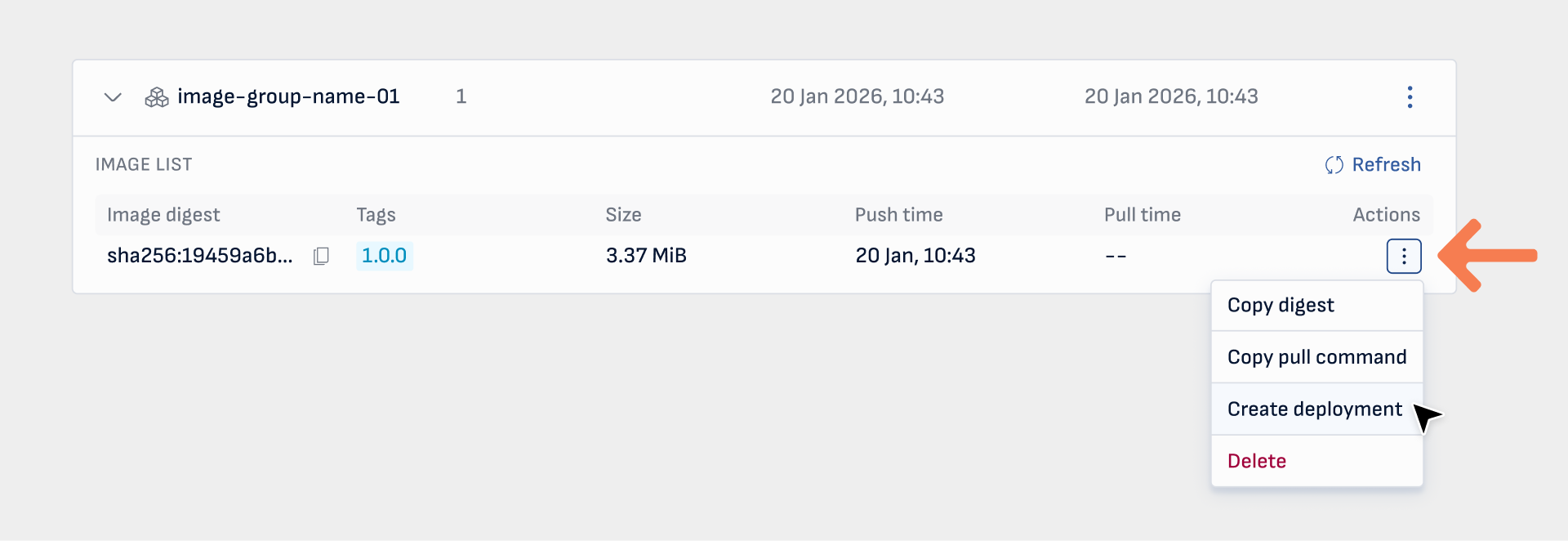
After pushing an image, you may create a serverless container deployment from it by clicking the Create deployment button from the actions menu:
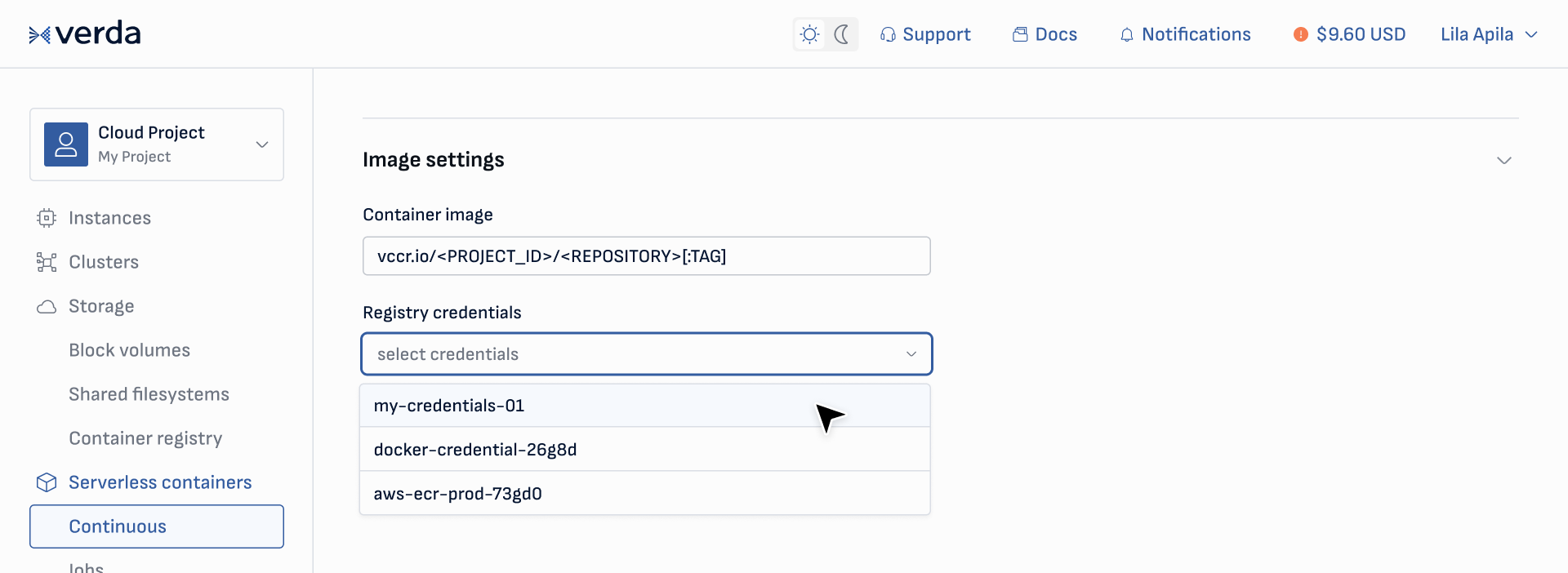
Alternatively, you can create a serverless container deployment based on your image by entering the image URL and the Verda registry credentials in the New deployment page: